Call us now :08037734553
 Send Inquiry
Launch X431 PRO3 V+ Elite SmartlinkC Bidirectional Scan Tool J2534 Protocol
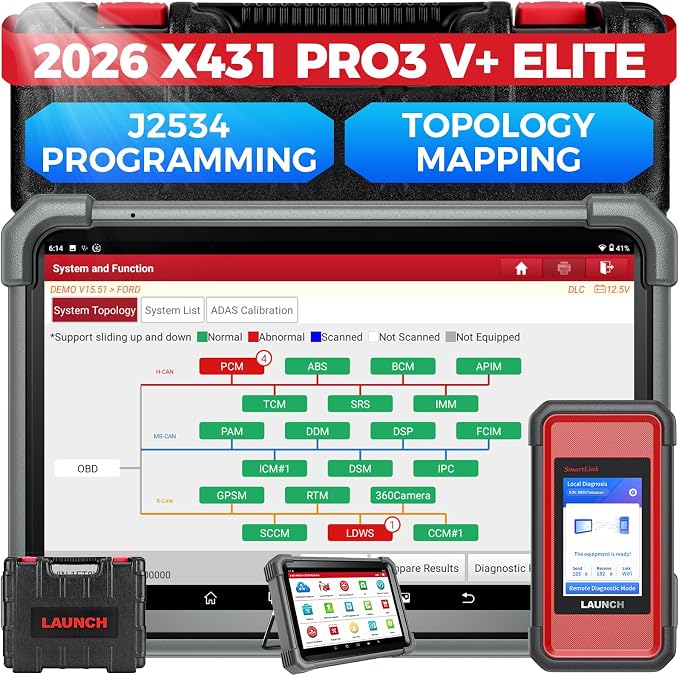

Launch X431 PRO3 V+ Elite SmartlinkC Bidirectional Scan Tool J2534 Protocol Specification
- Size
- Tablet and Connector Kit
- Finish
- Matte with Textured Grip
- Head Type
- Smartlink C Connector
- Usage
- Professional Automotive Diagnostics, Coding, and Programming
- Material
- Rugged Industrial Plastic
- Product Type
- Automotive Diagnostic Scanner
- Color
- Black/Red
- Application
- Vehicle ECU Programming and Diagnostics
- Vehicle Coverage
- All System Scan for 1996 and newer vehicles (US/Asia/Europe)
- Operating System
- Android-based platform
- Protocol Support
- J2534 Programming, OBD1/OBD2, CAN, KWP2000, ISO9141, J1850 etc.
- Display Size
- 10.1-inch Touchscreen
- Battery Capacity
- 7000 mAh (Tablet)
- Storage Case
- Heavy-duty protective case included
- Wireless Connectivity
- Wi-Fi, Bluetooth
- Accessories Included
- Smartlink C adapter, connection cables, carrying case, user manual
- Bidirectional Control
- Yes, supports active test functions.
- Special Features
- Topology Mapping, ADAS Calibration, Remote Diagnosis, ECU Coding
- Update Support
- 2 Years Free Software Updates
- Compatibility
- Works with passenger cars, light trucks, and commercial vehicles
Launch X431 PRO3 V+ Elite SmartlinkC Bidirectional Scan Tool J2534 Protocol Trade Information
- Minimum Order Quantity
- 2 Units
- Delivery Time
- 4 Days
About Launch X431 PRO3 V+ Elite SmartlinkC Bidirectional Scan Tool J2534 Protocol
- [2026 X431 PRO3 V+ Elite] A great value for the X431 series that differs from similar diagnostic tools by adding: 1) J2534 protocol for over $800 in savings; 2) CANFD/DOIP support for enhanced communications; 3) Configuration of over $900 worth of HD(heavy truck) modules, needed purchase HD diagnostic software by HD vehicle model for use.; 4) A 10.1 inch Gorilla screen with 1280*800 resolution and 80% more touch screen sensitivity; 5) Same as X431 PRO5, save $200
- [J2534 Protocol Pass-Thru Tool] The J2534 Direct Access Device functions as a OEM-level scan tool at zero additional cost, saving you over $2,000. Easily expand your ECU pro gramming capabilities for Toyota, Honda, VW, BM W, For d, G M, Chrysler, Merce des-Be nz, and more. The LAUNCH X431 PRO3 V+ ELITE scan tool comes equipped with the newly upgraded SmartLink C V2.0, a high-performance VCI supporting the J2534 specification. When connected to a PC pre-installed with OEM diagnostic software, it operates seamlessly as a J2534 PassThru device. Operating via the J2534 protocol is the definitive solution for diagnosing issues ranging from drivability and power drop to poor fuel efficiency
- [Top Hardware Configuration, Upgraded V+ Version] Powered by Android 10.0 and a 2.0 GHz quad-core CPU, this LAUNCH diagnostics scanner delivers fast multitasking. Highlights include 2.4/5GHz Wi-Fi, a 6300mAh battery, a 10.1" Gorilla Glass screen sunlight readable, an 8MP camera, Auto VIN, and 4GB+64GB storage. A 20X transfer rate to save more vehicle files and customer data. It features a Type-A port for accessories like oscilloscopes sensors, etc. It supports 25+ languages (EN, DE, FR, SP, JP)
- [60+ Resets & 3000+ Active Tests] As a full bi-direction diagnostic tool, it quickly isolates faults and guides repairs by commanding actuators such as A/C clutches, power windows, doors, and mirrors. With a single touch, send command signals directly from the scanner to various modular actuators to evaluate component integrity within seconds, instantly determining whether repair or replacement is required. Furthermore, it boasts 60+ special reset services, including O il Reset, ABS Bra ke Bleed, EPB, SAS, BMS, Suspension Calibration, and Injector Coding: all rigorously field-tested for maximum reliability
Powerful Protocol and Vehicle Coverage
The Launch X431 PRO3 V+ Elite SmartlinkC covers an extensive array of automotive protocols including J2534 Programming, OBD1/OBD2, CAN, KWP2000, ISO9141, and J1850, supporting diagnostics for 1996 and newer US, Asian, and European vehicles. Professionals can work confidently on passenger cars, light trucks, and commercial vehicles, regardless of their make or communication standards.
Advanced Diagnostic and Coding Functions
With bidirectional control, users can perform active tests on vehicle systems and components, facilitating accurate issues detection and repairs. Enhanced features like topology mapping, ECU coding, ADAS calibration, and remote diagnosis provide detailed vehicle insights, broadening the tool's ability to tackle modern automotive service challenges.
Ergonomic and Reliable Design
Engineered with rugged industrial plastic, the tablet and Smartlink C adapter offer durability for workshop demands. The device sports a 10.1-inch responsive touchscreen, large-capacity battery, and comes protected in a heavy-duty carrying case. Wireless connectivity through Wi-Fi and Bluetooth ensures convenience and mobility during diagnostics.
FAQ's of Launch X431 PRO3 V+ Elite SmartlinkC Bidirectional Scan Tool J2534 Protocol:
Q: How do I update the software on the Launch X431 PRO3 V+ Elite SmartlinkC?
A: You can update the software directly through the tablet's Wi-Fi connection. Simply access the Launch application, log in to your user account, and navigate to the update section for downloading and installing the latest updates. Two years of free software updates are included with your purchase.Q: What special diagnostic functions does this tool support?
A: The tool provides advanced features including bidirectional active tests, ECU coding, ADAS calibration, topology mapping, and remote diagnosis, allowing for thorough automotive diagnostics and programming beyond standard code reading and clearing.Q: When should I use the ADAS calibration feature?
A: ADAS (Advanced Driver Assistance Systems) calibration is necessary whenever sensors or cameras related to these systems are serviced, replaced, or after certain repairs or collisions. The tool's ADAS feature guides technicians through the calibration process to ensure vehicle safety systems operate correctly.Q: Where can the Launch X431 PRO3 V+ Elite SmartlinkC be used?
A: This scan tool is suitable for professional automotive workshops, vehicle inspection centers, and service garages. Due to its wireless connectivity and rugged design, it can also be used in field or mobile diagnostic situations for passenger cars, light trucks, and commercial vehicles.Q: What is the process for bidirectional control and active testing?
A: With bidirectional control, users can command individual components (such as actuators, valves, or relays) to perform real-time tests. Simply select the target system within the diagnosis menu, choose the component, and initiate the desired function to monitor the response for accurate troubleshooting.Q: How does topology mapping benefit my diagnostics?
A: Topology mapping provides a visual layout of the vehicle's communication networks, helping technicians identify modules, their status, and any faults more efficiently. This feature streamlines the diagnostic process and reduces troubleshooting time by highlighting areas that need attention.Tell us about your requirement

Price:
Quantity
Select Unit
- 50
- 100
- 200
- 250
- 500
- 1000+
Additional detail
Mobile number
Email

More Products in Car And Truck Scanner Category
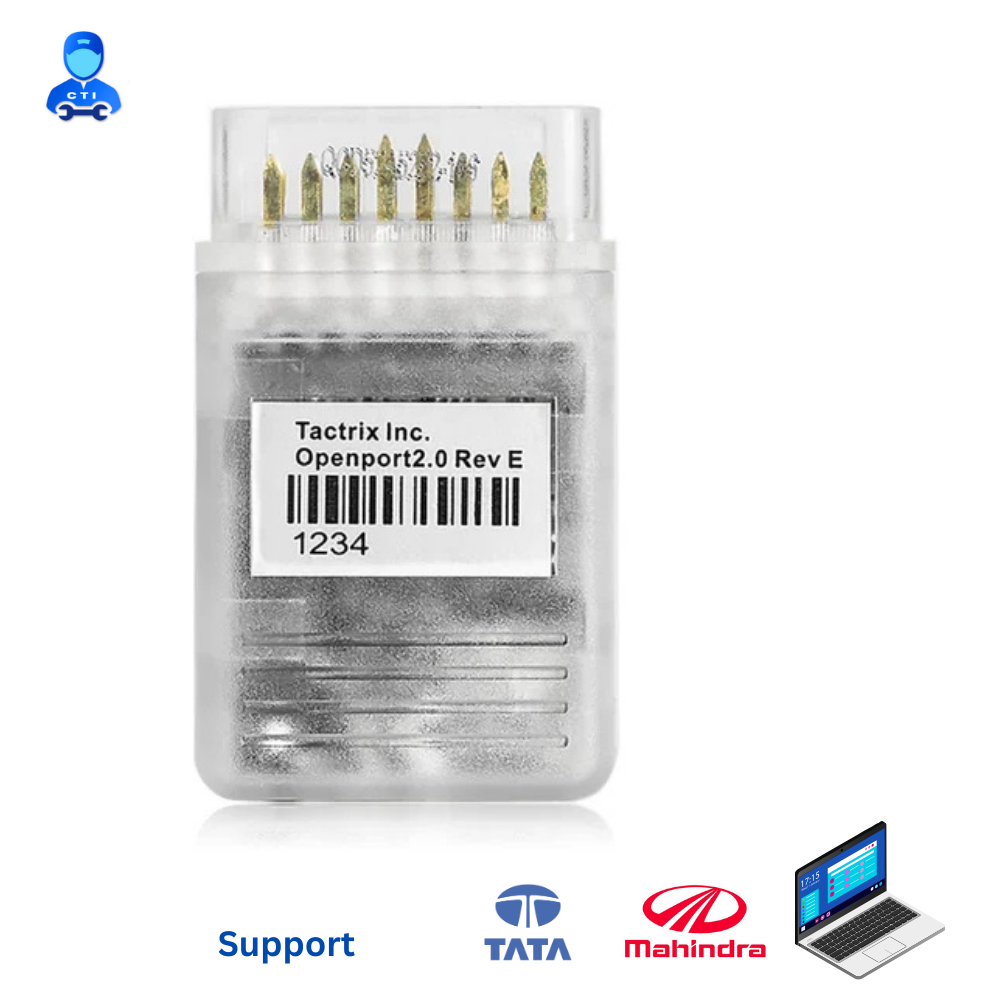
Tata Obd Scanner - Openport
Price 7500.0 INR / Piece
Minimum Order Quantity : 1 Piece
Application : Tata Obd Scanner
Color : Transparent
Usage : USB
Material : Plastics
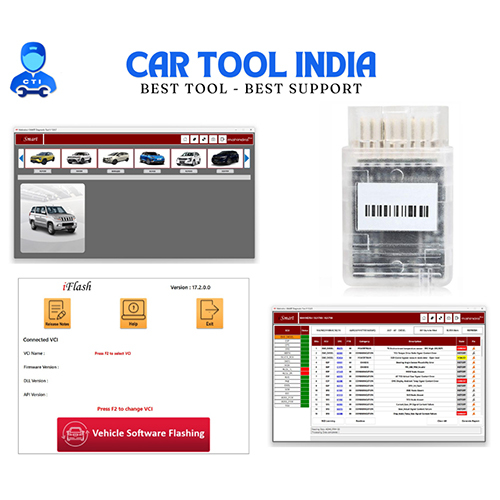
Mahindra OEM Diagnostic scanner - Openport 2.0
Price 6999.0 INR / Piece
Minimum Order Quantity : 1 Piece
Application : Adapter
Color : Transparent
Usage : Vahicle
Material : Plastics
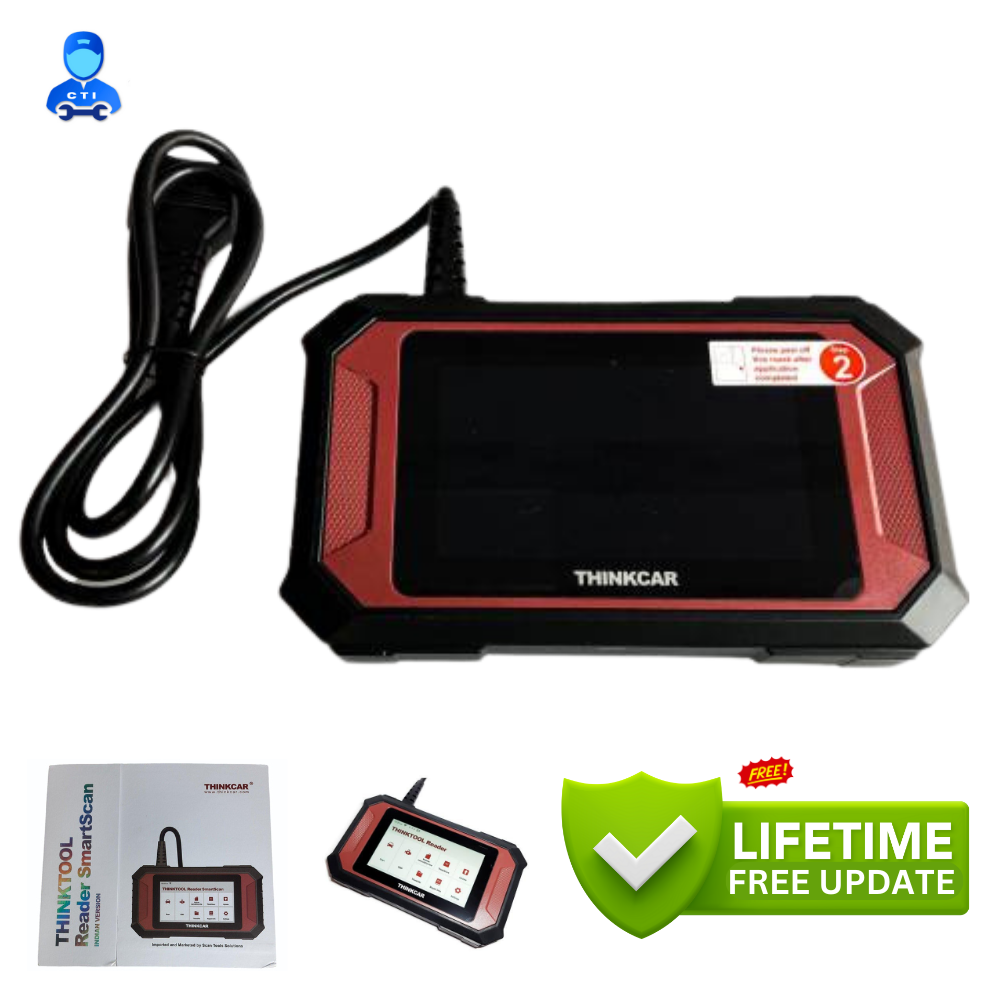
Thinkcar Thinktool Reader Smartscan
Price 29000.0 INR / Piece
Minimum Order Quantity : 1 Piece
Application : Car
Color : Red & Black
Usage : Automotive
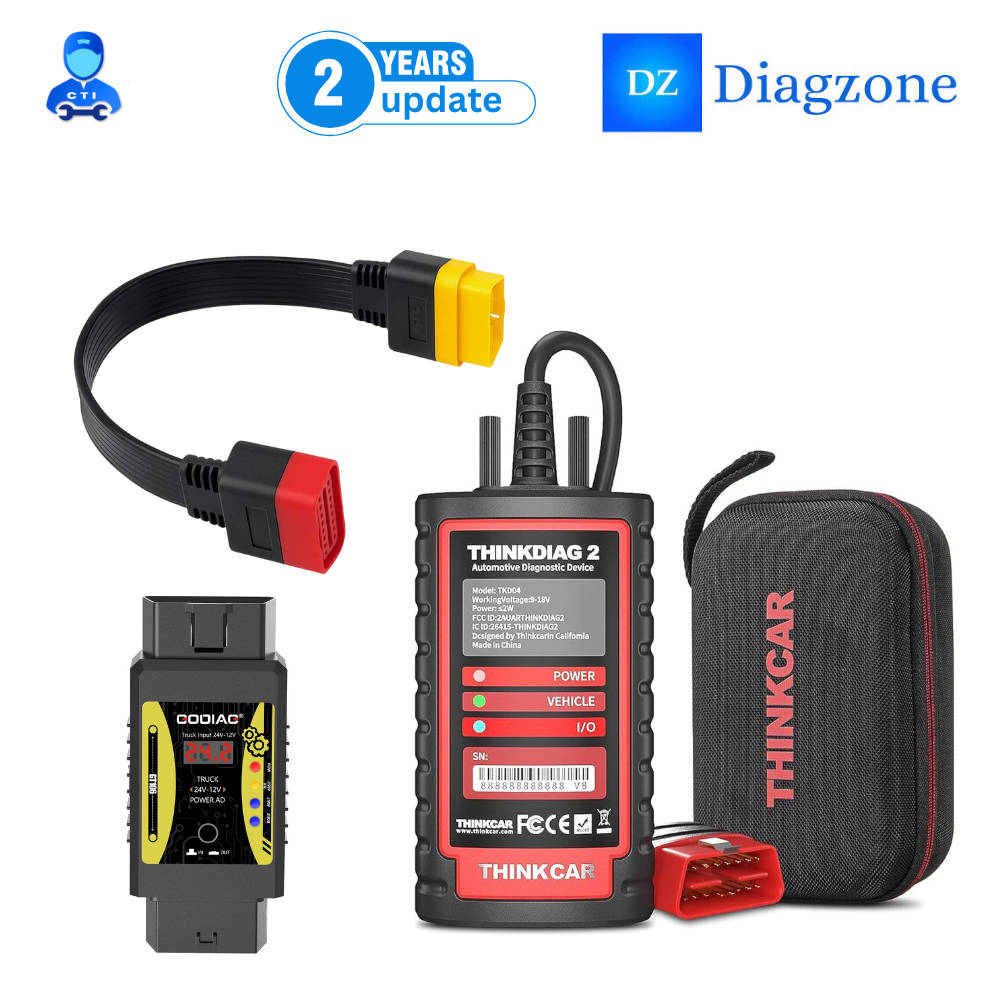
Thinkdiag 2 with diagzone software
Price 25000.0 INR / Piece
Minimum Order Quantity : 1 Piece
Application : Automotive
Color : Black
Usage : Automotive
Material : Plastic

 Send Inquiry
Our Products


Bharat Petroleum Petrol Pump, Br/44, Baihar Birsa Saletekari Road, Chitragupt Nagar,Balaghat - 481001, Madhya Pradesh, India

Mr Harish Jaiswal
Mobile :08037734553
 Send Inquiry
 Send SMS
Developed and Managed by Infocom Network Private Limited.
